Enterprise Software Lifecycle Explained for IT Managers
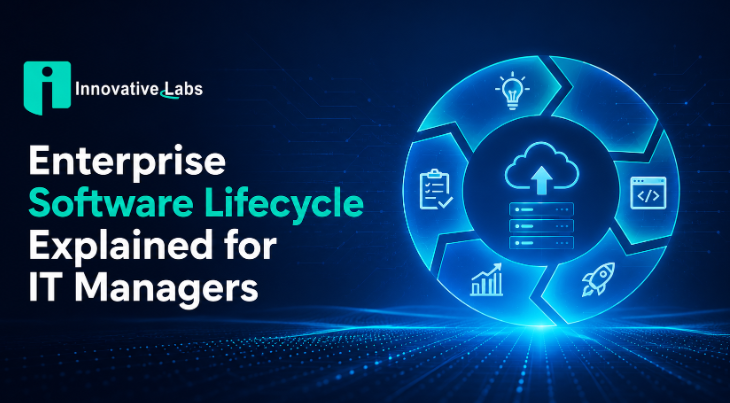
The enterprise software lifecycle is the end-to-end framework that governs every software system in an organization, from the first requirements document through design, development, testing, deployment, maintenance, and final retirement. IT managers who treat this framework as a formal discipline, rather than a loose collection of practices, consistently deliver software with lower defect rates, better audit readiness, and more predictable costs. Application Lifecycle Management (ALM), the industry standard term for this discipline, provides the governance structure that ties each phase together. Understanding the enterprise software lifecycle explained in full means understanding how every phase decision affects the ones that follow.
What are the key stages of the enterprise software lifecycle?
The enterprise software lifecycle runs through seven distinct phases. Each phase has defined inputs, outputs, and handoff criteria that prevent gaps from forming between teams.
Requirements gathering. Stakeholders define business needs, compliance constraints, and success metrics. The output is a requirements specification that every downstream phase references.
Design. Architects translate requirements into system blueprints covering data models, integration points, and security controls.
Development. Engineers write and review code against the approved design. Version control and code review gates keep the build traceable.
Testing. Quality assurance teams validate functionality, performance, and security. The Software Testing Life Cycle (STLC) is a subset of the full SDLC, focusing exclusively on test planning, execution, defect tracking, and closure. Keeping STLC distinct from SDLC clarifies team roles and prevents testing from being compressed when schedules slip.
Deployment. Approved builds move to production through controlled release pipelines with rollback plans in place.
Maintenance. Operations teams monitor performance, apply patches, and manage change requests. This phase consumes the largest share of total lifecycle cost in most enterprises.
Retirement. Aging systems are decommissioned, data is migrated or archived, and dependencies are cut. Skipping formal retirement planning produces what practitioners call "zombie systems," which inflate maintenance budgets without delivering business value.

Pro Tip: Document the retirement criteria for every system at the requirements phase. Teams that define end-of-life conditions early avoid the political battles that keep obsolete systems running years past their useful life.
Why do integration complexity and failed changes dominate lifecycle costs?
Integration complexity is the single largest cost driver in enterprise application lifecycle management, cited by 61% of enterprise IT organizations. That figure reflects a structural reality: enterprise environments run dozens of interdependent systems, and a change in one propagates risk across all connected applications.
Failed changes compound the problem. Failed production changes cause significant to severe annual costs for 53% of organizations. Each failed change triggers incident response, rollback procedures, and post-mortems that consume engineering hours that could go toward new development.
Cloud update cycles add pressure on top of integration risk. 42% of IT teams cannot allocate adequate staff time to manage rapid cloud updates, and 51% struggle to configure new features correctly. The result is a backlog of unvalidated changes sitting in production environments.
Common integration and lifecycle pain points IT managers face include:
Undocumented API dependencies that break silently during platform upgrades
Manual regression testing that cannot keep pace with monthly cloud release cycles
Fragmented toolchains where work status is invisible across development, testing, and operations
Unofficial processes, such as spreadsheets and email threads, that replace formal change management and destroy traceability
No single owner for cross-system integration testing, leaving gaps between team boundaries
These legacy software integration challenges are not purely technical. They reflect process gaps that accumulate when lifecycle management is treated as an IT concern rather than a cross-departmental discipline.
How do lifecycle management practices and tooling affect delivery quality?
Effective lifecycle management requires traceability: every requirement links to a design decision, every design decision links to code commits, every commit links to test results, and every release links to incident records. Microsoft ALM guidance emphasizes governance across development, testing, deployment, maintenance, and release management as the foundation for audit-ready, reproducible releases. Without that chain, a single production incident becomes a forensic exercise rather than a traceable rollback.
Rigid ALM workflows create their own risks. When formal processes are too inflexible, teams revert to shadow tools like spreadsheets that break traceability and compliance. The fix is not to eliminate governance but to design workflows that are strict on outcomes and flexible on execution paths.
Integrated toolchains solve the visibility problem that fragmented tools create. Effective lifecycle management requires shifting from disconnected tools toward integrated chains where work status is linked and traceable across teams. This reduces errors, improves compliance, and makes releases reproducible.
Pro Tip: Before evaluating any ALM platform, map your current change flow on a whiteboard. If you cannot draw a line from a business requirement to a production release without hitting a gap, your process problem will follow you into any new tool.
Key governance practices that improve delivery quality include:
Linking every change request to a business requirement before development begins
Automating deployment pipelines so releases are reproducible, not manual
Running traceability audits quarterly to catch gaps before regulators do
Defining rollback criteria before each release, not after an incident occurs
What practical strategies can enterprises adopt to optimize their software lifecycle?
The most common lifecycle optimization failure is buying tools before defining process. Most ALM failures stem from organizations prioritizing tool acquisition over establishing a cross-departmental change discipline. The sequence matters: define the "why" behind each process step, then select tools that enforce it.
AI-driven automation is changing the economics of lifecycle management. Enterprises that embed AI in lifecycle processes report cutting manual effort by 80%, accelerating go-lives by 30%, and reducing downtime risk by 92%. Those gains come from AI agents handling repetitive phases such as test generation, configuration validation, and release approval routing, freeing engineers for higher-value work.
Retirement planning deserves the same rigor as new development. High maintenance costs often signal aging software with limited documentation, poor interoperability, and obsolete expertise. Strategic action means establishing cost baselines, benchmarking performance against modern alternatives, and building phased transition roadmaps before systems become critical liabilities.
A practical lifecycle optimization checklist for 2026:
Audit your current toolchain and identify every gap where work status becomes invisible between teams.
Define a cross-departmental change discipline before purchasing or replacing any lifecycle tool.
Establish cost and performance baselines for every system older than five years.
Introduce automated regression testing for all systems receiving cloud updates more than twice per year.
Set formal retirement criteria for aging systems and assign an owner to each decommission plan.
Pilot AI-driven test automation on one high-frequency release cycle before scaling across the portfolio.
Run a traceability audit from requirements to production on at least one application per quarter.
Pro Tip: Treat your enterprise IT bottlenecks as lifecycle symptoms, not isolated incidents. A recurring deployment failure almost always traces back to a gap in requirements or design, not just a bad release.
How do different enterprise software lifecycle models compare?
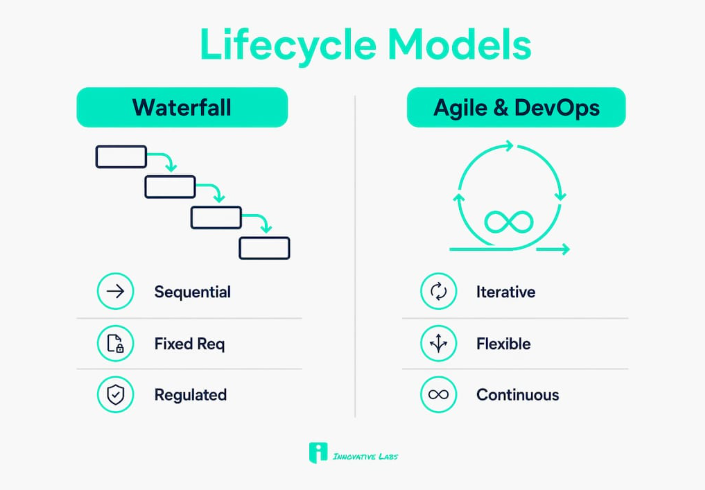
SDLC models such as Waterfall, Agile, and DevOps have unique phase characteristics and fit different enterprise needs and risk profiles. Choosing the wrong model for a given context adds cost and slows delivery without improving quality.
Waterfall works well when requirements are fixed and regulatory sign-off is required at each gate, as in HIPAA-governed healthcare systems. Agile suits product teams where requirements evolve through user feedback. DevOps fits organizations releasing to cloud platforms multiple times per week, but it demands mature automation to maintain traceability at speed.
The practical reality for most large enterprises is a hybrid approach: Waterfall-style governance at the portfolio level, Agile execution within delivery teams, and DevOps pipelines for deployment and monitoring. Modern ALM practices are designed to accommodate this mix by enforcing traceability rules that apply regardless of the delivery model in use.
Key Takeaways
Effective enterprise software lifecycle management requires traceability, cross-departmental process discipline, and retirement planning from the first requirements phase through final decommission.
What I've learned from watching enterprises mismanage their software lifecycle
Most organizations I've observed do not fail at the technical phases. They fail at the transitions between phases, specifically where one team hands off to another and accountability becomes ambiguous. A development team closes a sprint, marks stories as done, and moves on. The testing team inherits a build with undocumented assumptions. Operations receives a release with no rollback plan. Each team followed its own process correctly. The lifecycle still broke.
The other pattern I see repeatedly is what I call "tool optimism." An IT leader buys an enterprise ALM platform, configures it for one team, and declares the lifecycle problem solved. Six months later, three other teams are still using spreadsheets because the tool's workflows did not match how they actually work. The platform becomes shelfware, and the traceability gap widens.
The organizations that get this right share one habit: they treat lifecycle governance as a business system, not an IT project. Every artifact, from a requirements ticket to a retirement plan, is owned, dated, and linked. They also plan for retirement with the same seriousness they give to launch. Ignoring end-of-life planning is how you end up running a 15-year-old ERP on unsupported infrastructure because no one ever built the political case to replace it.
How Innovative Labs supports enterprise software lifecycle management
Enterprises that recognize lifecycle gaps often need more than a new tool. They need a partner who has built and maintained complex systems through every phase, from requirements to retirement.
Innovative Labs brings a decade of experience in custom software development for enterprises and startups, with a track record that includes HIPAA-compliant platforms and high-frequency cloud deployments. The team covers the full lifecycle: engineering, integration, testing, and round-the-clock IT support, so your systems are maintained for long-term performance, not just launched and left. If your organization is assessing a modernization roadmap or needs a managed partner for lifecycle operations, Innovative Labs offers managed IT and cloud services built for enterprise scale. Contact Innovative Labs to discuss your lifecycle challenges and review relevant case studies.
FAQ
What is the enterprise software lifecycle?
The enterprise software lifecycle is the end-to-end process governing software from requirements gathering through design, development, testing, deployment, maintenance, and retirement. ALM frameworks provide the governance structure that links each phase.
How is SDLC different from STLC?
The Software Development Lifecycle (SDLC) covers all phases of software delivery. The Software Testing Life Cycle (STLC) is a subset focused exclusively on testing activities, from test planning through defect closure.
What is the biggest cost driver in enterprise software lifecycle management?
Integration complexity is the top cost driver, cited by 61% of enterprise IT organizations. Failed production changes add further cost, affecting 53% of organizations with significant to severe annual impact.
Why do ALM tools fail in enterprise environments?
ALM tools fail most often because organizations buy them before defining a cross-departmental change discipline. Without a clear process foundation, teams revert to shadow tools like spreadsheets, breaking traceability and compliance.
How does AI improve software lifecycle management?
AI-driven lifecycle automation cuts manual effort by 80%, accelerates go-lives by 30%, and reduces downtime risk by 92% by handling repetitive phases such as test generation, configuration validation, and release routing.
Recommended
Common Legacy Software Integration Challenges for IT Managers - Innovative Labs
Common Enterprise IT Bottlenecks: A Guide for IT Managers - Innovative Labs